Printer Purge prints an ink-coverage purge sheet to your printers on a schedule you set, moving a little ink through every channel. Regular flow is the simplest way to help reduce the clogs, wasted ink, and failed prints that idle printers are prone to.
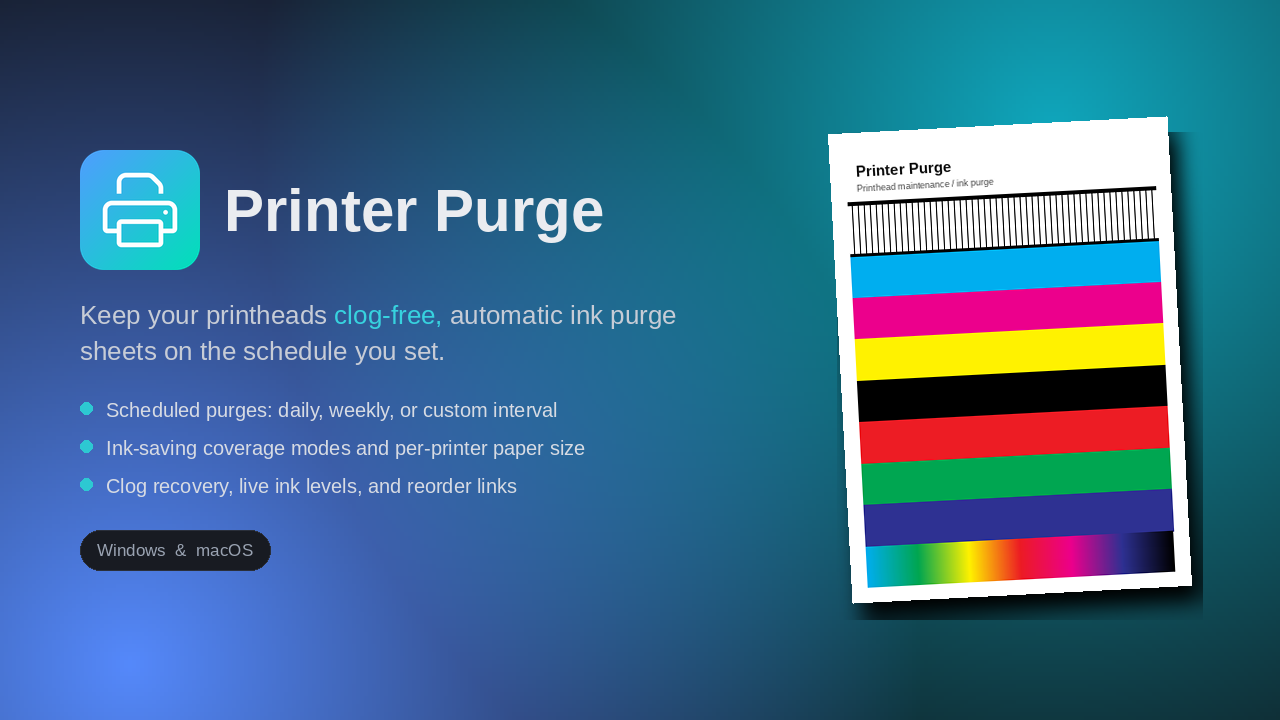
When a printer sits between jobs, ink can dry in the nozzles. A common way to reduce that risk is to run a little ink through every channel regularly, but nobody remembers to do it by hand. Printer Purge does it for you, quietly, on a schedule, helping keep ink moving so your printers are ready when you are.
Built for print shops, sign makers, and anyone with large-format or refillable-tank printers that don't run every day.
Daily, weekly on the days you pick, or a custom interval like every 3 days. Runs unattended.
Full, Reduced, or Minimal coverage so a 24x36 sheet doesn't drain a tank. Cap the inked area, too.
Stuck color? The "Unclog a color" tool floods a single channel repeatedly to help work a stubborn clog loose.
See ink levels for networked printers over SNMP/IPP, with low-ink warnings. Set manual levels for tanks.
Save a reorder link per ink and maintenance part, and reorder right from the ink panel.
Lives in the system tray, starts at login, and catches up a missed purge when you turn the machine on.
Nickname, location, paper size, schedule, and ink settings, all per printer. Hide the ones you don't use.
See what ran and whether it worked, get notified on failures, and a nudge when a printer sits idle too long.
Export your settings and import them on another machine to set up a whole shop in seconds.
No drivers to install, no cloud account. It uses your printers exactly as they're already set up.
It lists every printer on the machine. Turn on the ones you want maintained.
Choose how often and what to print, plus an ink-saving mode for big media.
Printer Purge handles the rest from the tray. Walk away and let it keep ink moving on schedule.
Buy it once, it's yours. No subscription.
Most setups only need one machine. A single license covers unlimited printers on the computer it's installed on — including every networked printer that computer can reach. You only need extra machines if you'll run Printer Purge on separate computers.
Secure checkout via Gumroad.
If you don't see your answer, email us and we'll help.
Any printer installed on your computer, inkjet or large-format. Live ink levels work on networked printers that report them; for refillable tank printers you can set levels manually.
For most people, just one. A single license covers unlimited printers on the computer it's installed on, including every networked printer that computer can reach. You only need a 2 or 5 machine license if you'll run Printer Purge on more than one separate computer.
Only as much as you choose. Reduced and Minimal coverage modes keep ink use low, and you can cap the inked area so a big sheet only prints a band, not the whole page.
Yes. The app isn't code-signed yet, so Windows or macOS may warn it's from an unidentified developer. On Mac, follow the one-time step in the included "How to open" file. On Windows, click "More info" then "Run anyway."
No. It runs entirely on your machine and prints to your existing printers. No account required.
No, and we're careful not to claim that. Printer Purge is a maintenance aid that automates the regular ink flow many printer makers recommend, which can help reduce the chance of clogging. It cannot prevent every clog. Clogs can still happen for reasons outside any software's control, such as ink age, humidity and temperature, dust, hardware faults, or long periods powered off. Always follow your printer manufacturer's own maintenance guidance.
A 7-day money-back guarantee. If it isn't right for you, email within 7 days for a full refund.
Printer Purge is a maintenance utility intended to help keep ink moving through your printer on a schedule you set. It is provided "as is," without warranties of any kind, and does not guarantee that printheads will not clog or that clogs will be cleared. Results depend on your printer, ink, environment, and use. To the fullest extent permitted by law, Grounded Labs is not liable for any clogging, ink use, printer damage, downtime, or other loss arising from use of the software. Always follow your printer manufacturer's maintenance instructions. Product and brand names are the property of their respective owners.
 Printer Purge